


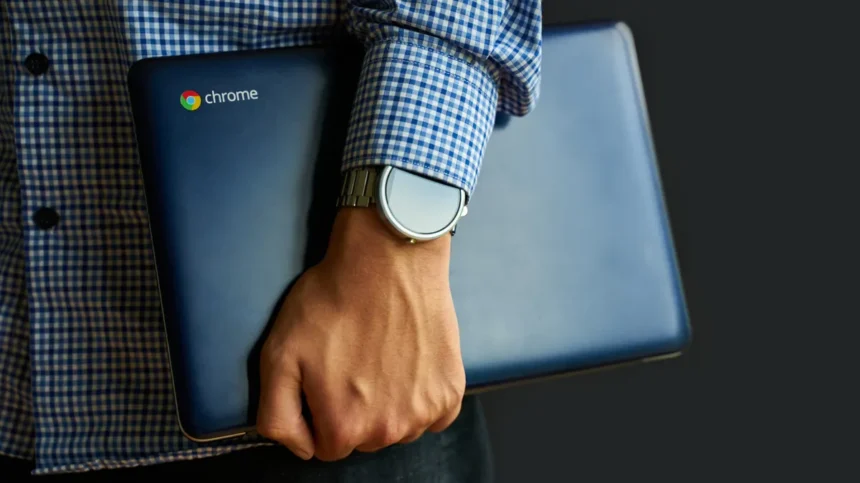
Chromebooks have evolved significantly since their 2011 debut, transforming from niche devices into viable alternatives to traditional Windows and Mac laptops for many users. These machines, powered by Google’s ChromeOS, offer a distinct approach to personal computing, emphasizing simplicity, security, and cloud integration. While they present compelling advantages, particularly for users with straightforward computing needs, understanding their limitations is crucial before making the switch. This detailed look explores the benefits and drawbacks of relying on a Chromebook for daily tasks.
What is a Chromebook?
At its core, a Chromebook is a laptop that runs Google’s ChromeOS. Unlike Windows or macOS, ChromeOS is built around the Chrome web browser. This design philosophy means that most applications are web-based, and the operating system itself is lightweight, secure, and designed for speed. Google has also been working on integrating Android app support more deeply, with future iterations like “Googlebooks” aiming to further unify the experience between Android and ChromeOS.
The Advantages of Using a Chromebook
Chromebooks excel in several key areas, making them attractive for specific user profiles:
Simplicity and Ease of Use
One of the most lauded aspects of Chromebooks is their inherent simplicity. The user interface closely mirrors the familiar Chrome browser, reducing the learning curve for new users. This streamlined design extends to the hardware; Chromebooks are typically lighter and more durable than conventional laptops, making them highly portable.
Exceptional Battery Life
The minimalist nature of ChromeOS contributes to impressive battery performance. Many Chromebook models can easily last 10 hours or more on a single charge, a significant advantage for users who work or study away from power outlets.
Speed and Efficiency
Chromebooks are renowned for their rapid boot times, often starting up in mere seconds. This quick access is a direct result of the streamlined operating system, which requires fewer resources than more complex desktop environments.
Enhanced Security Features
Security is a cornerstone of ChromeOS. The operating system employs several robust measures:
- Read-Only OS: System files are protected, as users can only modify their personal data and cloud storage, making it difficult for malware to corrupt core system functions.
- Verified Boot: Each time a Chromebook starts, it checks for any unauthorized or suspicious modifications. If detected, it can automatically revert to a stable previous state.
- Sandboxing: Web pages and applications run in isolated environments (sandboxes). This prevents a compromised app or website from affecting other parts of the system.
While not entirely immune to threats like malicious browser extensions, phishing attacks, or weak passwords, Chromebooks generally present fewer attack vectors compared to traditional operating systems.
Developer Mode for Advanced Users
For users requiring more control, Chromebooks offer a “Developer Mode.” This setting unlocks full system access, allowing for the installation of Linux and the use of a command-line terminal. This feature caters to developers and power users who need greater flexibility.
Affordability
Price is a significant draw for Chromebooks. While premium models exist, the vast majority are considerably more affordable than comparable Windows or Mac laptops. Many capable Chromebooks can be found in the $300-$500 range, making them an accessible option for students, budget-conscious individuals, and organizations.
The Drawbacks of Using a Chromebook
Despite their strengths, Chromebooks have limitations that can be deal-breakers for some users:
Dependence on Internet Connectivity
Historically, Chromebooks were heavily reliant on an internet connection. While significant improvements have been made, with many Google Workspace applications (Docs, Sheets, Gmail) and services like Netflix and YouTube offering offline functionality, the device remains fundamentally cloud-dependent. Productivity and access to features can be significantly curtailed without a stable internet connection.
Software Incompatibility
This is perhaps the most substantial limitation. ChromeOS cannot run traditional desktop applications designed for Windows or macOS. This means professional software suites like Adobe Creative Cloud, specialized industry software (e.g., in healthcare or engineering), and development tools like the full Steam client are incompatible. While Android apps offer a growing alternative, they may not always provide the full functionality or performance of their desktop counterparts.
Gaming Limitations
Gaming on a Chromebook is largely restricted to Android games available through the Google Play Store or cloud-based streaming services like NVIDIA GeForce NOW or Xbox Cloud Gaming. Users seeking to play demanding PC games locally will find Chromebooks unsuitable.
Printer Compatibility Issues
Following the discontinuation of Google Cloud Print in 2020, printer compatibility with ChromeOS has become more complex. While most modern Wi-Fi printers are supported, users may need to verify compatibility with specific models before purchasing, as not all printers work seamlessly.
Hardware Limitations and Performance
To maintain affordability and efficiency, Chromebooks typically feature less powerful hardware (CPU, RAM, storage) compared to standard laptops. While sufficient for web browsing, email, and basic productivity, these lower specifications can lead to performance bottlenecks when running more demanding applications, even Android apps, or multitasking heavily. Higher-spec Chromebooks exist but come with a price tag that often rivals that of more powerful traditional laptops.
Who Should Consider a Chromebook?
Chromebooks are an excellent choice for:
- Students who primarily need a device for research, writing papers, and accessing online learning platforms.
- Users whose daily computing involves web browsing, email, social media, and using cloud-based office suites (like Google Workspace or Microsoft 365 web versions).
- Individuals seeking a secondary, highly portable, and secure device for travel or casual use.
- Budget-conscious consumers looking for an affordable entry into the laptop market.
Who Might Be Better Off With a Traditional Laptop?
A traditional Windows or Mac laptop is likely a better fit for:
- Professionals who rely on specific desktop software (e.g., Adobe Creative Suite, CAD software, specialized industry applications).
- Gamers who want to play a wide range of PC titles locally.
- Users who require extensive offline functionality and cannot depend on internet access for critical tasks.
- Power users who need maximum performance, extensive hardware customization, or the ability to run any software imaginable.
Conclusion
Chromebooks offer a compelling blend of simplicity, security, and affordability, making them a strong contender for everyday computing tasks, especially for users deeply integrated into the Google ecosystem. Their strengths lie in portability, battery life, and ease of use. However, their reliance on cloud services and the inability to run traditional desktop software present significant limitations for users with specialized software needs, demanding workloads, or a preference for offline operation. Carefully evaluating your specific computing requirements against the capabilities and constraints of ChromeOS is essential to determine if a Chromebook is the right fit for your daily digital life.