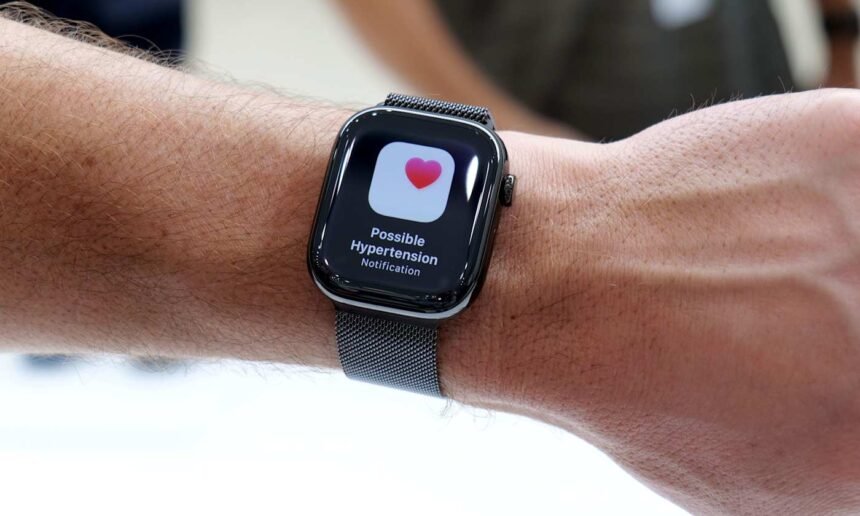
Apple continues to enhance the Apple Watch’s health capabilities, extending from basic fitness monitoring to tools that flag potential health issues early. A notable update includes hypertension alerts, which notify users of prolonged elevated blood pressure patterns. Although the device does not measure blood pressure directly, it identifies trends that warrant medical consultation. This guide covers the purpose of these alerts, their operation, and steps to activate and oversee them.
What Hypertension Alerts Accomplish
These alerts detect ongoing patterns that signal possible high blood pressure. The Apple Watch processes 30 days of data, such as heart rate, activity levels, and other metrics from the Health app. It identifies persistent shifts matching hypertension indicators. Upon spotting such a trend, the watch delivers a notification. These serve as prompts for further checks, not diagnoses, and target individuals without prior high blood pressure diagnoses to boost awareness.
Eligibility for Hypertension Alerts
Users need an Apple Watch Series 9 or newer, or Apple Watch Ultra 2 or later, connected to an iPhone 11 or subsequent model. The feature demands current watchOS and iOS versions for its algorithms. Participants must be at least 22 years old, non-pregnant, and free of hypertension diagnoses. Enable Wrist Detection on the watch, and update personal details like age, sex, height, and weight in the Health app. Consistent wear, especially during sleep, ensures adequate data for trends; alerts emerge after sufficient monitoring, not instantly.
Steps to Activate Hypertension Alerts
Control the feature via the Health app on the linked iPhone, not the watch. The app verifies no prior hypertension diagnosis and reviews health info for precision. Launch the Health app, tap the profile icon in the upper corner, then choose Health Checklist under Features. Select Hypertension Notifications, verify age and diagnosis status, then proceed through explanations and prompts. Finish by tapping Done; the system operates in the background without daily input.
Handling Notifications and Alerts
Enabled alerts notify via the Apple Watch and iPhone, describing the detected trend and suggesting actions. Customize delivery through Health app settings, opting for lock screen, Notification Center, or time-sensitive watch alerts. Access related data and educational content in the Health app anytime, though no exact blood pressure figures appear.
Benefits of Hypertension Alerts
High blood pressure often progresses silently without early symptoms, evading detection until routine exams. Alerts highlight subtle shifts, encouraging timely doctor visits, home monitoring, or lifestyle tweaks like better diet, exercise, or sleep. They provide context via existing watch tracking of activity and rest.
Responding to an Alert
An alert signals no emergency but urges cardiovascular focus. Measure blood pressure with a cuff at home or consult a doctor for accurate assessment and advice. Evaluate factors like exercise, sleep, stress, and nutrition; the Apple Watch tracks several to inform discussions with providers.
Key Limitations
Availability varies by region due to regulations. Reliable alerts require steady watch use for data accumulation. Remember, the device infers trends from correlations, not direct measurements, so it complements, not replaces, professional medical tools and care.