


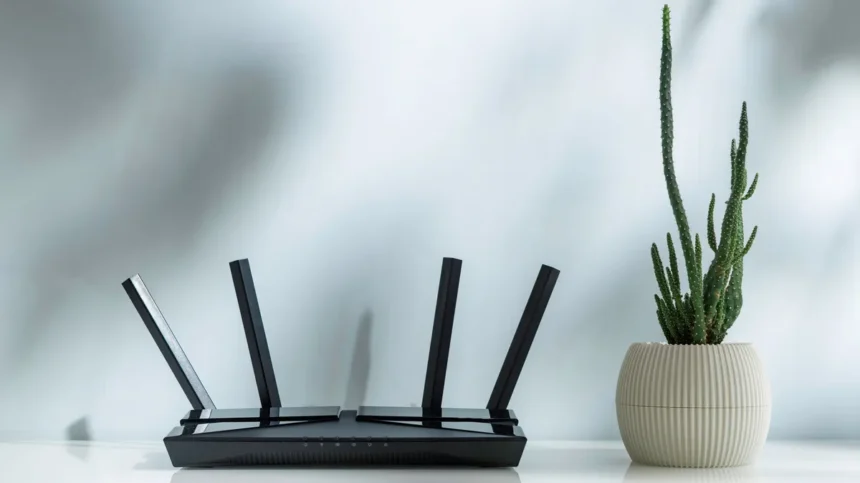
Achieving robust Wi-Fi coverage throughout your home often comes down to more than just your internet service provider. The physical placement of your wireless router and, crucially, the orientation of its antennas, can significantly impact signal strength, range, and the presence of dead zones. While many users simply plug in their router and forget about it, understanding how to position antennas correctly can resolve common issues like slow speeds in certain rooms or intermittent connection drops during streaming.
Understanding Wi-Fi Antenna Signal Propagation
Most standard router antennas are omnidirectional, meaning they broadcast signals in all directions simultaneously. The key principle to grasp is that the signal strength is most potent perpendicular to the antenna’s length, not along it. This physical characteristic dictates how different antenna orientations affect signal distribution within your home.
Vertical Antenna Orientation
When an antenna is positioned vertically, pointing straight up, it radiates its signal outward in a horizontal plane. This orientation is highly effective for covering a single floor of a house or apartment, as it spreads the signal across that level.
Horizontal Antenna Orientation
Conversely, a horizontally positioned antenna sends its signal primarily upward and downward. This can be beneficial in multi-story homes, helping to distribute the signal to floors above and below the router.
Optimizing Antenna Placement for Different Home Layouts
The ideal antenna setup varies depending on your living space. Tailoring the orientation to your home’s structure can minimize Wi-Fi dead zones.
Single-Story Homes and Apartments
For residences confined to a single level, orienting all router antennas vertically (straight up) is generally the most effective strategy. This maximizes horizontal signal distribution, ensuring comprehensive coverage across the entire floor.
Multi-Story Homes
In homes with multiple floors, relying solely on vertical antenna positioning can leave upper and lower levels with weak or non-existent signals. To address this, a mixed approach is recommended. Experts suggest angling at least one antenna at approximately a 30-degree tilt. This slight angle allows the signal to propagate both horizontally and vertically, bridging the gap between floors. For routers with multiple antennas, experimenting with different combinations of vertical and angled orientations can help fill in coverage gaps and create a more uniform signal across all levels.
The Role of Router Placement
Effective antenna positioning works best when complemented by strategic router placement. The location, height, and surrounding environment all play a role in Wi-Fi performance.
Central Location
Placing your router in a central location within your home is crucial. A router positioned against an exterior wall will inevitably waste a significant portion of its signal broadcasting outside, reducing its effectiveness indoors. Aim for a spot that is as equidistant as possible from the areas where you most frequently use Wi-Fi.
Optimal Height
The height at which your router is placed can also influence signal reach. A common recommendation is to position the router approximately 1 to 1.5 feet off the ground. This elevation helps align the signal with the typical height of most electronic devices, potentially improving connectivity.
Minimizing Interference
Certain household items and building materials can interfere with Wi-Fi signals, degrading performance. It’s advisable to keep your router away from:
- Microwave ovens
- Large metal objects
- Thick concrete walls
- Bluetooth devices
- Aquariums (due to water and potential electronic interference)
While it may not always be feasible to place the router in a completely isolated, central location, being mindful of these potential interference sources and combining this awareness with thoughtful antenna orientation can significantly enhance your home’s Wi-Fi network performance. By making these adjustments, you can often achieve better speeds and a more reliable connection, making the most of your existing internet plan.
Understanding Wi-Fi Frequencies
Modern routers often operate on multiple frequency bands, each with distinct characteristics that affect range and speed. Understanding these can further inform placement and antenna strategy.
2.4 GHz Band
This band offers a longer range and better penetration through walls and obstacles compared to higher frequencies. However, it typically provides slower data speeds and is more prone to interference from other devices operating on the same frequency.
5 GHz Band
The 5 GHz band delivers significantly faster speeds and experiences less interference. Its main drawback is a shorter range and reduced ability to penetrate solid objects like walls and floors.
6 GHz Band (Tri-Band Routers)
Newer tri-band routers include a 6 GHz band, which offers substantial speed improvements and virtually eliminates interference. However, due to its very high frequency, the 6 GHz signal has the shortest range and is the most susceptible to obstructions.
When considering antenna placement, remember that the signal characteristics of these different bands play a role. For instance, if your primary concern is reaching devices far from the router or through several walls, optimizing for the 2.4 GHz band might be more critical. If speed is paramount and devices are in closer proximity, the 5 GHz or 6 GHz bands might be prioritized, though their signal propagation needs careful consideration.
Conclusion: A Holistic Approach to Wi-Fi Optimization
Improving your home Wi-Fi doesn’t require a new router or a more expensive internet plan in many cases. By understanding the physics of Wi-Fi signals and applying simple, strategic adjustments to both router placement and antenna orientation, users can effectively eliminate dead zones and boost overall network performance. A central, elevated location, combined with a thoughtful mix of vertical and angled antenna positions tailored to your home’s layout, can make a tangible difference in your daily internet experience.