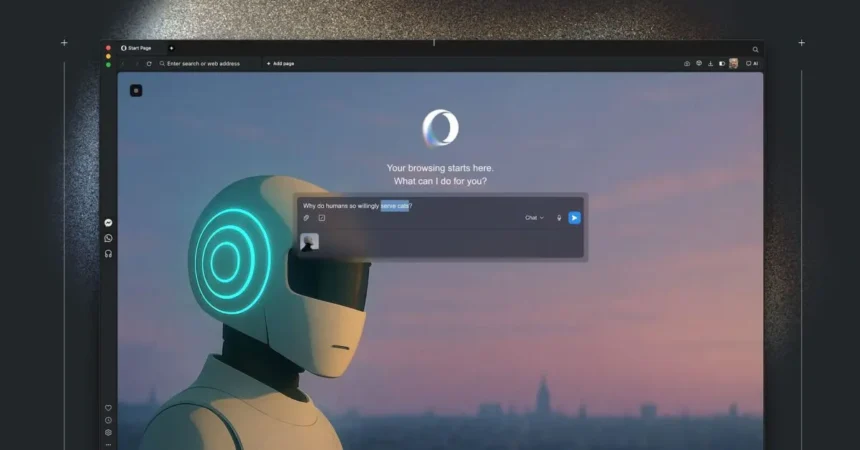
Opera Neon, the innovative agentic browser, now enables users to link AI tools directly to active browsing sessions. This integration allows AI agents to access open tabs, engage with web pages, and execute actions in real time, streamlining workflows.
Understanding MCP
The Model Context Protocol (MCP) serves as an open standard originally developed by Anthropic. It has since been contributed to the Linux Foundation’s Agentic AI Foundation, established late last year. MCP acts as a universal bridge between AI models and external systems, facilitating seamless connections.
With widespread adoption, MCP empowers AI tools like ChatGPT, Gemini, and Claude to integrate with platforms such as Notion, Google Drive, Slack, GitHub, and Zapier. This setup lets large language models retrieve data and perform tasks across these services efficiently.
Key Features of Opera Neon
Opera Neon operates as a subscription-based agentic browser that debuted last year. It includes native tools designed for intelligent browsing:
- Tasks: Dedicated workspaces that grasp context, enabling AI-driven analysis, comparisons, and actions across multiple sources.
- Cards: Customizable prompts saved for quick reuse in routine browsing activities.
- Do: An agentic function that autonomously navigates websites on the user’s behalf.
- Make: A versatile creator for generating widgets, standalone apps, and reports user inputs or web data.
Recent updates have introduced deep research capabilities and integration with Gemini 3 Pro, enhancing its functionality further.
MCP Support Boosts Productivity
The latest update brings full MCP compatibility to Opera Neon. AI tools including ChatGPT, Claude, Lovable, n8n, and OpenClaw can now interact with tabs, manipulate page elements, and handle tasks independently.
This development minimizes context switching, as AI agents draw from open tabs, update files, launch automations, and manage complex sequences without constant user oversight. Users familiar with MCP ecosystems will see immediate gains, while newcomers can explore these capabilities directly within the browser.








.jpg "Scammers Will Attempt to Trick You Into Filling Out Google Types. Don’t Fall for It")