

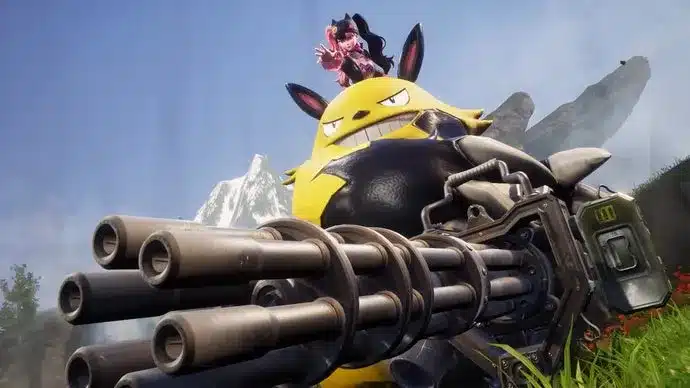
As Palworld prepares for its official 1.0 launch on July 10th, developer Pocketpair has issued a crucial advisory for players who may have installed modifications. For those who haven’t engaged with the game in some time, particularly those who have utilized mods, there’s a significant risk of encountering game-breaking issues, including crashes and corrupted save files, due to system changes accompanying the 1.0 update. The developer strongly recommends a thorough cleanup of mod data before transitioning to the full release.
Pre-Launch Mod Management for Palworld 1.0
The transition from early access to a full 1.0 release often involves substantial under-the-hood changes, and Palworld is no exception. Pocketpair has highlighted in a recent Steam post that older mods, especially those not updated to align with the game’s evolving architecture, can conflict with the new systems. This incompatibility can manifest in several problematic ways:
- Crashes: Players might experience frequent game crashes, either immediately upon launching the game or during gameplay.
- Corrupted Save Data: The most severe consequence could be the corruption of existing save files, rendering progress unrecoverable.
- Unplayable Quests: Certain in-game quests or mechanics might become impossible to complete due to mod conflicts.
Simply disabling mods is often insufficient to prevent these issues. The underlying mod files can still interfere with the game’s core functions. Therefore, Pocketpair has outlined a specific procedure to ensure a smoother transition to the 1.0 version.
Recommended Steps for Modded Palworld Installations
To safeguard your Palworld experience and prevent data loss, Pocketpair advises a multi-step approach to meticulously remove or isolate outdated mod files. Following these instructions diligently is key to avoiding the potential pitfalls associated with the 1.0 update.
1. Back Up Your Save Data
Before making any changes to your game files, the absolute first step is to create a secure backup of your current save data. This is your primary safety net. Save files are typically located in a specific folder within your user directory. The exact path can vary slightly depending on your operating system, but it’s generally found within:
C:UsersYourUsernameAppDataLocalPalSavedSaveGames
Copying this entire ‘SaveGames’ folder to a separate, safe location (like an external drive or cloud storage) ensures that even if something goes wrong, you have a copy of your progress. It’s also wise to note which saves might have been heavily reliant on specific mods, as these could be particularly vulnerable.
2. Manually Delete or Relocate Mod Files
This is the most critical step for resolving mod conflicts. Pocketpair emphasizes that simply uninstalling mods through a mod manager might not remove all associated files. Players need to navigate to their Palworld installation directory and manually identify and remove any files or folders related to mods. Common locations for mod files include subfolders within the game’s main directory or specific folders created by modding tools.
If you wish to keep your mods for potential future use or to re-evaluate them after the 1.0 update, it is strongly recommended to move these files out of the game’s directory rather than deleting them outright. Creating a separate ‘Mods_Backup’ folder outside the game installation is a practical solution.
3. Verify Game File Integrity
Once all external mod files have been removed from the game’s directory, the next step is to use the game client’s built-in file verification tool. For users on Steam, this process is straightforward:
- Open your Steam Library.
- Right-click on Palworld.
- Select ‘Properties’.
- Go to the ‘Installed Files’ tab.
- Click ‘Verify integrity of game files…’.
This process will scan your game installation, compare it against the official files on Steam’s servers, and download any missing or corrupted files, effectively restoring the game to a clean, vanilla state.
4. Test Game Launch
Before proceeding to download and install the 1.0 update, it’s advisable to launch the game with the mods completely removed. This initial test run will confirm that the game launches correctly and that your save files load without any mod-related errors. If the game runs smoothly, you can be more confident that the cleanup process was successful.
Future Modding and the 1.0 Release
Pocketpair’s advisory extends to future mod installations. They recommend that players only install mods that have been explicitly updated and confirmed to be compatible with the Palworld 1.0 version. Mod creators are expected to update their work as the game evolves, but until then, caution is advised.
The developer also released a new launch trailer alongside this announcement, showcasing the familiar yet enhanced world of Palworld. The 1.0 version promises new content and refinements, building upon the foundation laid during its early access period. With the official launch set for July 10th, players are encouraged to heed these warnings to ensure a seamless transition into the full release of this popular creature-collecting survival game.